
A torrent that sits on connecting to peers and never moves is not necessarily broken software. The client is doing exactly what it says: asking the swarm for someone to talk to, and getting no answer. That silence has a handful of causes, and they split neatly into two groups — nobody is there to answer, or something between you and them is blocking the conversation. Check which group you are in before changing any settings.
One thing first: only download material you have the right to. Plenty of software, film and music is distributed legally over BitTorrent, and this guide is about making the client work for those files.
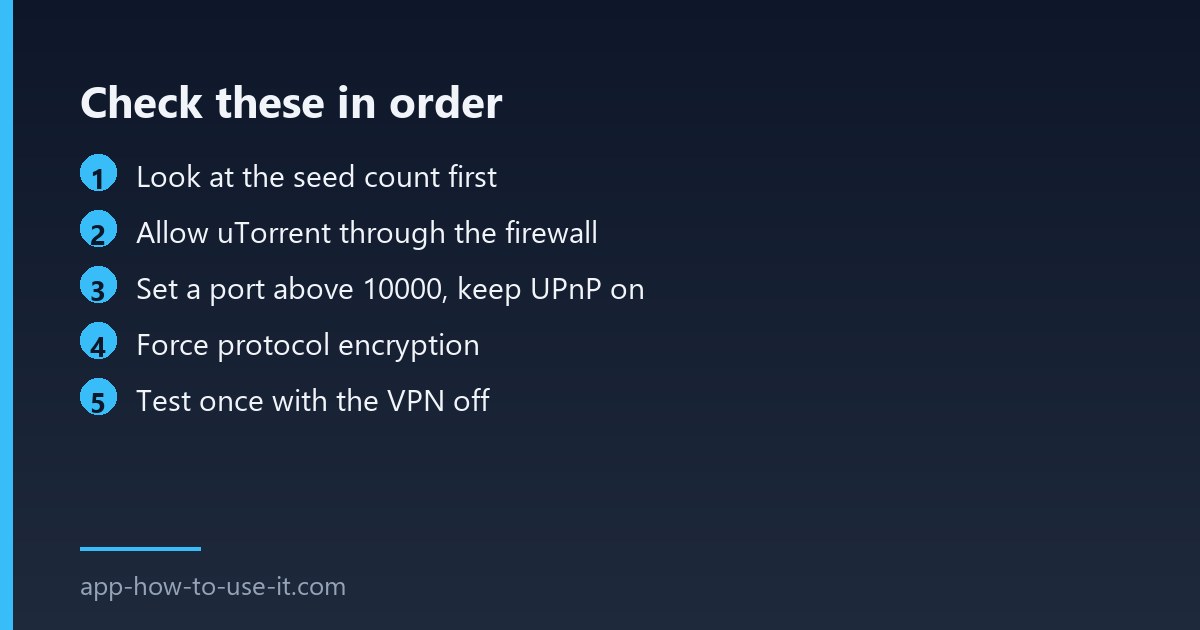
Step 1: check whether anyone is actually seeding
Open the torrent and look at the seeds column. Zero seeds means the file is dead and no setting on your machine will bring it back. This is the single most common answer, and it saves you an hour of pointless troubleshooting. Find a copy of the same file with a healthy swarm and try that instead.
| What you see | Likely cause | Fix |
|---|---|---|
| 0 seeds, 0 peers on every torrent | Blocked traffic, not dead files | Steps 2–5 |
| 0 seeds on one torrent only | Dead swarm | Find another copy |
| Peers found, download stays at 0 | Firewall or port problem | Steps 2–3 |
| Worked until you installed a VPN | No incoming connections | Step 5 |
| Slows to nothing in the evening | ISP shaping torrent traffic | Step 4 |
Step 2: let uTorrent through the firewall
- Open Windows Security and go to Firewall & network protection → Allow an app through firewall.
- Find uTorrent in the list and tick both Private and Public.
- If it is not listed, add it manually with Allow another app and point it at the program file.
- Check your antivirus separately — several suites filter torrent traffic even when Windows allows it.
Step 3: fix the listening port
In Options → Preferences → Connection, set a port above 10000 rather than the default, and leave UPnP and NAT-PMP ticked so the router can open it automatically. The client’s own support site documents the connection settings if your build lays them out differently. If your router has UPnP disabled for security, forward that one port to your computer by hand. A closed port does not stop downloads entirely, but it cuts you off from every peer who also cannot accept incoming connections — which is most of them.
Step 4: force protocol encryption
Some providers throttle or block unencrypted BitTorrent traffic outright. In Preferences → BitTorrent, set outgoing encryption to Forced and untick the option to allow legacy incoming connections. If transfers suddenly start after this change, your connection was being shaped.
Step 5: why a VPN can leave you connecting to peers
This is the step most guides skip, and it explains a lot of permanent cases. Most large consumer VPN providers no longer offer port forwarding, so incoming connection requests are dropped at the exit server by design. You can still reach peers who accept connections, but nobody can reach you — and on a small swarm that can leave a torrent stuck on connecting to peers indefinitely.
Test it properly: pause the torrent, disconnect the VPN, resume, and watch for thirty seconds. If peers appear immediately, you have found it. The options then are a provider that still supports port forwarding, or accepting slower swarms as the price of the privacy.
Steps 6 and 7: clear the peer list, then rebuild
Right-click the stuck torrent and choose Advanced → Clear peer list, then force a re-announce so the client asks the tracker again from scratch. If a single torrent still refuses while others work, delete it from the client without deleting the data and add the file again — the resume record itself can be corrupt.
Does DHT help when the tracker is down?
Yes, up to a point. DHT and peer exchange let clients find each other without the tracker, so leave both enabled. They cannot help with a private torrent, which deliberately disables them, and they cannot invent seeders that do not exist.
Would a different client fix it?
Rarely, because every client faces the same firewall, port and swarm conditions. It is worth trying only after the steps above, to rule out a corrupted uTorrent installation. Our overview of the uTorrent browser integration covers how the desktop client and the browser side fit together.
Run the checks in this order and the diagnosis is usually quick: a dead swarm, a blocked port, or a VPN with no way in. When uTorrent is stuck on connecting to peers across every torrent you try, it is the network path — not the file — and steps two to five are where the answer lives.