The BTRoblox extension, short for “Making Roblox Better”, is a free browser add-on that brings extra features and tweaks to the Roblox website. It has around four million users on the Chrome Web Store as of September 2026 and is one of the most widely used Roblox add-ons. It only changes the website you use in your browser: the Roblox game client and the mobile apps stay exactly as they are. This guide explains what it adds, how to install it and what to check before you do.
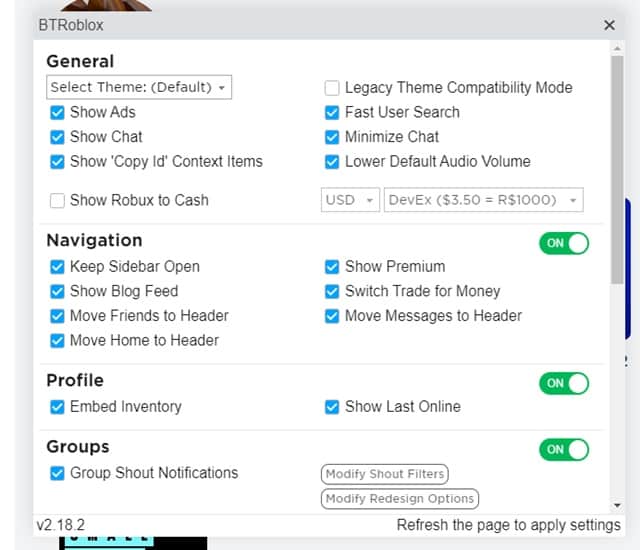
What BTRoblox adds to the Roblox website
- Visual themes and layout options for the site.
- Previews of catalog items and avatar changes before you buy or wear them.
- Quicker ways to browse games, groups and your inventory.
- Extra information on pages, such as more detail about items and servers.
- Options to switch individual features on or off, so you only change what you want.
How to install the BTRoblox extension
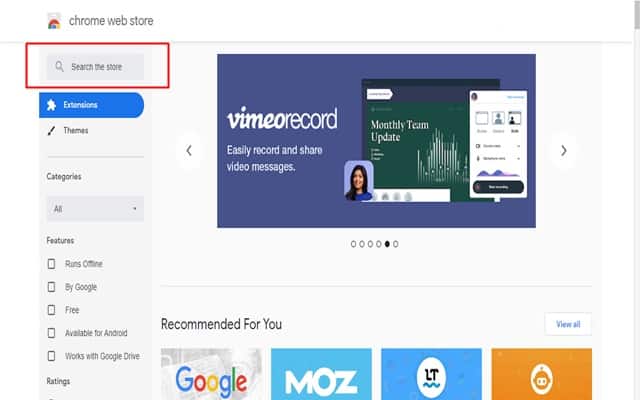
- Open BTRoblox on the Chrome Web Store (it also works in Edge).
- Click Add to Chrome and confirm with Add extension.
- Go to roblox.com and sign in; the changes appear straight away.
- Click the BTRoblox icon or the settings option it adds to the site to choose which features you want.
Is BTRoblox safe?
The official BTRoblox has a large user base, is updated regularly and does not ask for your password. The real risk is copies: fake Roblox extensions with similar names have been used to steal accounts. Install only the listing linked above, never an extension someone sends you as a file, and never paste your Roblox cookie or password anywhere an extension or a stranger asks for it.
| Safe habit | Why it matters |
|---|---|
| Install from the official store listing only | Copies with similar names are a common scam |
| Turn on two-step verification in Roblox | Protects the account even if a password leaks |
| Remove extensions you no longer use | Fewer add-ons with access to your account pages |
How to update, reset or remove it
Chrome updates extensions automatically, usually within a day of a new version. If the Roblox site looks broken after Roblox changes its pages, the fix is often already on the way; you can speed it up by opening chrome://extensions, switching on Developer mode and clicking Update. If a single feature misbehaves, switch it off in the BTRoblox settings instead of removing everything. To uninstall, click Remove under the extension on chrome://extensions; the Roblox site goes straight back to normal, and nothing on your Roblox account changes.
Can BTRoblox get my account banned?
BTRoblox changes how the website looks and adds convenience features; it does not change games or give you an advantage in them. Roblox’s rules target exploits and cheats in games, which this extension does not provide. As with any third-party tool, the decision to use it is yours, and Roblox’s terms are the final word.
Frequently asked questions
Does BTRoblox work in the Roblox app?
No. It only affects the Roblox website in a desktop browser.
How do I turn it off for a moment?
Open chrome://extensions and switch it off, or disable individual features in its settings.
Does the BTRoblox extension work in Firefox?
A Firefox version is also available from the Firefox Add-ons site. Make sure the developer name matches the official project before installing.
Is it free?
Yes. Be wary of anything that asks you to pay or log in again to “unlock” it.
The BTRoblox extension is a popular way to make the Roblox website more convenient. Install it from the official listing, keep two-step verification on, and it is a low-risk upgrade. For more browser add-ons, see our list of free YouTube extensions and our guide to installing Chrome extensions safely.