Browsec VPN is a browser-first VPN with around eight million users on the Chrome Web Store, which makes it one of the most popular free VPN extensions. It is simple: install it, click the button, and your browser traffic goes through one of its servers. This review looks at what the free plan includes in September 2026, what Premium adds and where Browsec falls short of full VPN services.
Browsec free and Premium compared
| Free | Premium | |
|---|---|---|
| Locations | 4: United States, United Kingdom, Netherlands, Singapore | Around 40 |
| Speed | Shared, often busy servers | Faster, less crowded servers |
| Devices | Per browser | Up to 5 |
| Price | Free | From about $2.99 a month on a two-year plan (September 2026) |
What Browsec does well
- No account is needed for the free plan: install and connect.
- Smart Settings let you choose, per website, which location to use or whether to bypass the VPN entirely.
- Extensions exist for Chrome, Firefox, Edge and Opera, plus mobile apps.
- Premium is inexpensive on the longer plans.
Where it falls short
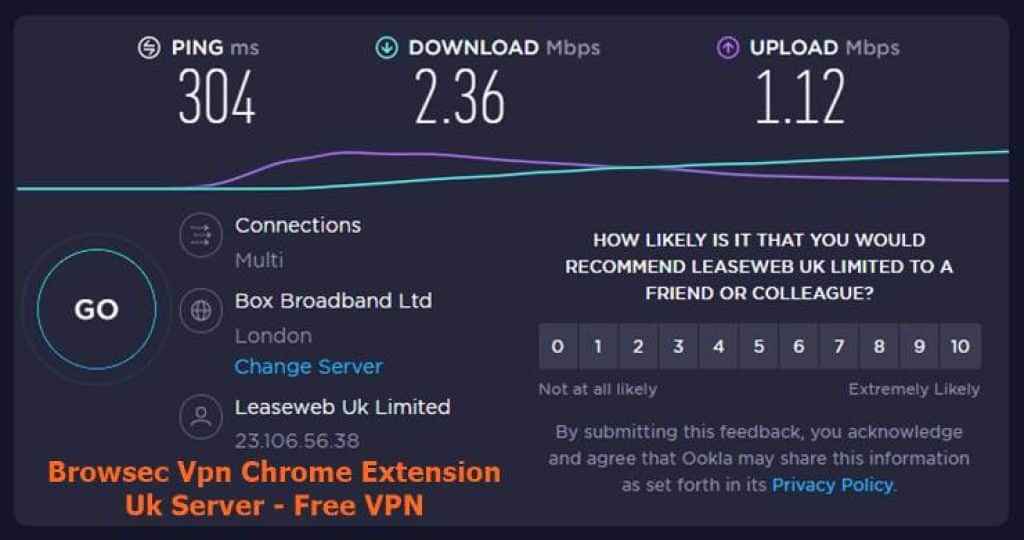
- The free servers are crowded, so speeds can drop sharply in the evening.
- There are no dedicated desktop apps; on a computer, only the browser is covered.
- Browsec has not published an independent audit of its privacy practices, unlike the leading paid VPNs.
How to install Browsec VPN
- Open Browsec on the Chrome Web Store and click Add to Chrome.
- Click the Browsec icon and switch it on.
- Choose one of the free locations, or sign up for Premium to unlock the rest.
How to use the VPN only on certain sites
Browsec’s Smart Settings are its most useful feature. Instead of routing everything, you can tell the extension to use a location only for the sites that need it and leave your bank, email and local services on your normal connection:
- Open the site you want to set a rule for.
- Click the extension icon and open Smart Settings.
- Add the site and choose either a location or “do not use VPN”.
This avoids the most common annoyance with browser VPNs: sites that suddenly show another language, ask for extra verification or refuse to load because you appear to be abroad.
Browsec or Proton VPN’s free plan?
| Browsec Free | Proton VPN Free | |
|---|---|---|
| Account needed | No | Yes |
| Choice of location | 4 locations | Picked for you |
| Data limit | None stated | None |
| Independent audit | No | Yes |
Is Browsec VPN safe?
Browsec is a long-running, legitimate service, and for changing your location in the browser it does what it promises. Because it covers only the browser and has no public audit, it is best for everyday use rather than sensitive work. If you want an audited free option, Proton VPN offers a browser extension on its free plan; our list of free VPN extensions compares more.
Frequently asked questions
Is Browsec VPN free?
Yes, with four free locations and no account needed. Premium adds more locations and speed.
Why is the free version so slow?
Millions of people share the four free locations, and the busiest hours are evenings in Europe and North America. Switching to a less popular location, such as Singapore when you are in Europe, sometimes helps; Premium’s extra servers are the real fix.
Is there a Browsec app for phones?
Yes. Browsec has mobile apps, which, unlike the desktop extension, cover the phone’s traffic rather than a single browser.
Does Browsec protect apps outside the browser?
Not on a computer. The extension covers only the browser it is installed in.
Browsec VPN is a quick, free way to switch your browser to another country. Treat it as a convenient proxy rather than a full privacy tool, and upgrade or pick an audited service when you need more.