When you click a file and Chrome saves it by itself instead of handing it over, you are looking at IDM not capturing downloads. The download manager is still installed and still opens, but the browser never tells it that a download started. Almost every case comes down to one link in that chain being broken: the IDM Integration Module extension. Work through the checks below in order — most people are sorted by the third one.
Start by matching the symptom
The exact behaviour tells you where the break is. Find your row before you start changing settings, because the fixes are not interchangeable.
| What you see | Most likely cause | Go to |
|---|---|---|
| Chrome downloads everything itself, no IDM window ever appears | Extension missing or switched off | Fix 1 |
| IDM grabs files on some sites but not others | Extension limited to certain sites | Fix 2 |
| IDM grabs archives but ignores video or documents | File type list too narrow | Fix 3 |
| It worked until Chrome updated itself | Old IDM build, new browser | Fix 4 |
| The extension keeps turning itself off | Security software removing it | Fix 5 |
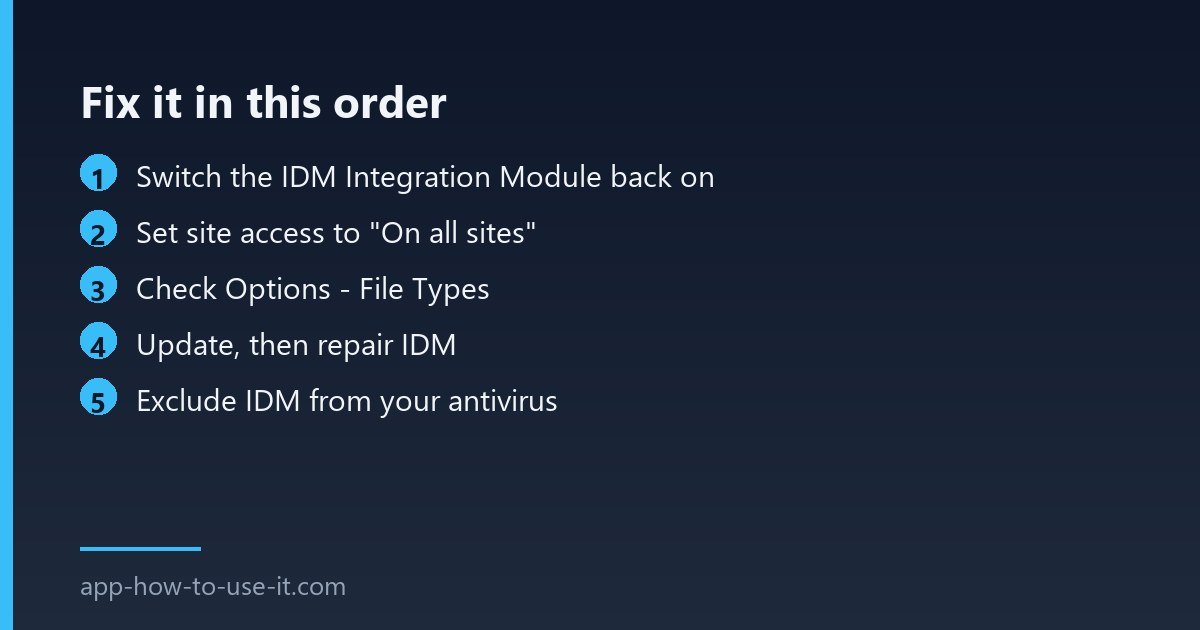
Fix 1: switch the IDM Integration Module back on
- Type chrome://extensions in the address bar and press Enter.
- Look for IDM Integration Module and make sure its toggle is blue, not grey.
- If it is not in the list at all, install it again from the Chrome Web Store, then restart Chrome.
- Open IDM itself, go to Options → General and confirm that browser integration is ticked and that Chrome appears in the browser list.
Both halves have to agree. The extension alone does nothing if integration is switched off inside IDM, and IDM cannot see the browser if the extension is gone.
Fix 2: let the extension see every site
Chrome lets you restrict an extension to a handful of sites, and a restricted extension simply will not notice a download starting anywhere else. On the extensions page, click Details under IDM Integration Module, find Site access and set it to On all sites. Tonec recommends this setting because the module has to watch the page to detect a download at all.
Fix 3: check which file types IDM is watching
IDM only takes over for extensions listed in Options → File Types. If that list was trimmed at some point, everything outside it goes straight to Chrome’s own downloader. Add the types you actually want — zip, exe, mp4, pdf, iso — or clear the field to let IDM offer to take everything.
Fix 4: update, then repair the installation
Chrome ships a new stable version roughly every four weeks, and an IDM build from a year ago can quietly lose the hook it uses. Update IDM from inside the program, and if that does not help, use the vendor’s own repair steps in the official IDM FAQ. A repair reinstalls the integration pieces without touching your download queue or your licence.
Fix 5: stop your antivirus from removing the extension
Some security suites treat any extension that intercepts downloads as intrusive and disable it during a browser restart. The tell-tale sign is an extension that works, then is off again the next morning. Add IDM to your antivirus exclusions, or check its quarantine log to confirm that is what happened before you reinstall anything.
When IDM not capturing downloads is not IDM’s fault
Two cases look identical but cannot be fixed in the settings. Streaming sites that deliver video in small encrypted segments give the module nothing to grab, and some download buttons are scripts that build the file in the page rather than linking to it. In both cases the browser never fires a normal download event, so no manager — IDM or otherwise — can step in. Our guide to the IDM extension for Chrome covers what the module can and cannot see.
Why does Chrome keep disabling the IDM extension?
Chrome switches off extensions that were installed from outside the Chrome Web Store, and security software can do the same. Install the module from the Web Store listing rather than dropping a file into the extensions page, and Chrome will stop removing it after updates.
Is there a free alternative if IDM still will not work?
Yes. Chrome’s built-in downloader handles ordinary files fine, and there are free managers that add pausing and resuming. We publish one of them, Advanced Download Manager, so treat that as a disclosure rather than a neutral recommendation — try the fixes above first, because a working IDM licence is worth keeping.
Run the five fixes in order and you will usually find the culprit in the first two: an extension that was switched off, or one that was only allowed to watch a few sites. If IDM not capturing downloads survives all of them, the site you are downloading from is almost certainly delivering the file in a way no download manager can intercept.